Table of contents
Table of Contents
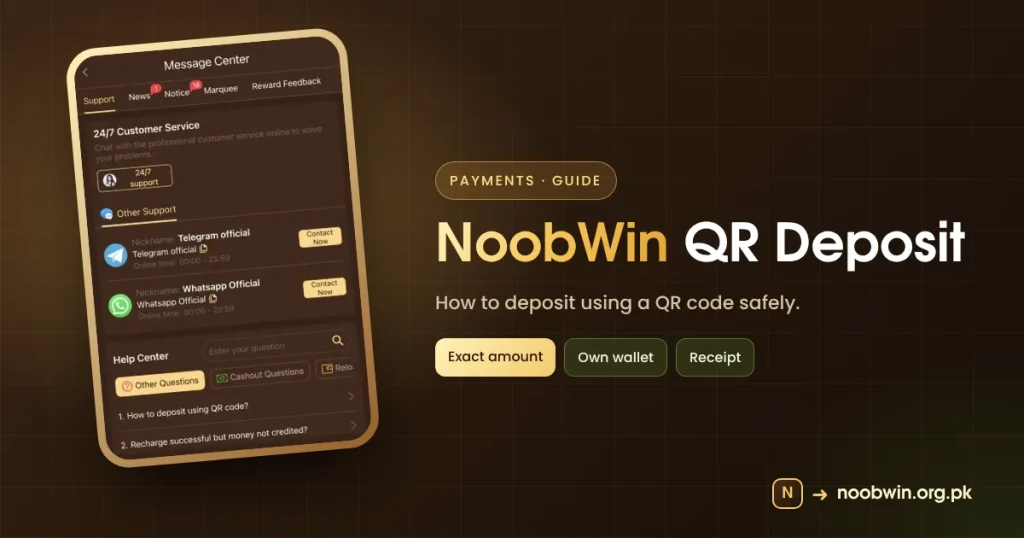
“How to deposit using QR code?” is the first question in the NoobWin deposit QR Help Center. This guide explains how QR deposits work and how to do them safely.
How a NoobWin QR Deposit Works
- Tap Deposit (+5%) on the home screen.
- Choose a QR-based method if offered.
- The app shows a QR code and an exact amount.
- Scan it with your own wallet app.
- Pay the exact amount and keep the transaction ID.
- Wait for the balance to update.
NoobWin Deposit QR Safety
- Only scan QR codes shown inside the app.
- Never scan codes sent by people on WhatsApp.
- Pay the exact amount; odd amounts may not match.
- Check the receiver name in your wallet before confirming.
A QR code from a stranger can send your money to them. Use only the code the app shows you.
Common QR Problems
| Problem | Fix |
|---|---|
| Code expired | Start a new deposit |
| Paid but not credited | See money not credited |
| Wrong amount paid | Contact support with the receipt |
Glossary
| Term | Plain meaning |
|---|---|
| QR deposit | Paying by scanning a code |
| Transaction ID | Your payment reference |
Quick Checklist
- Code from the app only.
- Exact amount.
- Receipt saved.
Licensed wallets: State Bank of Pakistan. More: deposit guide.
A Worked Example
You choose a Rs 500 deposit. The app shows a QR code and the amount 500. You open your own wallet app, scan the code, check that the receiver looks right and that the amount is exactly 500, and confirm. You save the transaction ID. A few minutes later your NoobWin balance updates. If it does not, you follow the missing deposit steps rather than paying again.
QR Codes From Strangers
Scam messages often say “scan to receive your bonus”. Scanning a payment QR sends money; it never receives it. Only scan QR codes that the NoobWin app shows you during a deposit you started yourself.
Mistakes With NoobWin QR Deposits
- Paying a rounded amount instead of the exact one.
- Reusing an old QR code.
- Scanning a code sent in chat.
The Short Version
NoobWin deposit QR payments are quick and safe when the code comes from the app, the amount is exact and you keep the receipt.
Questions Players Ask Us
Which wallet should I use for a NoobWin QR deposit?
Any licensed wallet you already trust that can scan QR codes. Use one in your own name.
Can I save the QR for next time?
No. Codes are created for each deposit and may expire. Start a new deposit each time.
The amount on the QR differs from what I typed.
Stop and start again. Pay only when the amount matches.
Licensed wallet providers are listed by the State Bank of Pakistan.
Our Verdict
QR deposits are quick and convenient when done inside the app with your own wallet. Almost every QR problem comes from codes shared in chats or amounts typed incorrectly. Follow the exact amount and the in-app code, and keep the receipt.
Related NoobWin Guides
- NoobWin deposit guide: read next if this topic matters to you.
- Money not credited: read next if this topic matters to you.
- +7% fund guide: read next if this topic matters to you.
- Customer support: read next if this topic matters to you.
NoobWin Deposit QR FAQ
Is NoobWin deposit QR safe?
Yes when the code comes from the app and you pay the exact amount.
How long does it take?
Usually minutes; contact support if it takes longer.